Insight
Did the Next.js Patch Reach Every App?
Next.js has fixed two unauthenticated remote code execution bugs. Patching the main app is the easy part. The app that gets hit is usually the one nobody remembers owning.
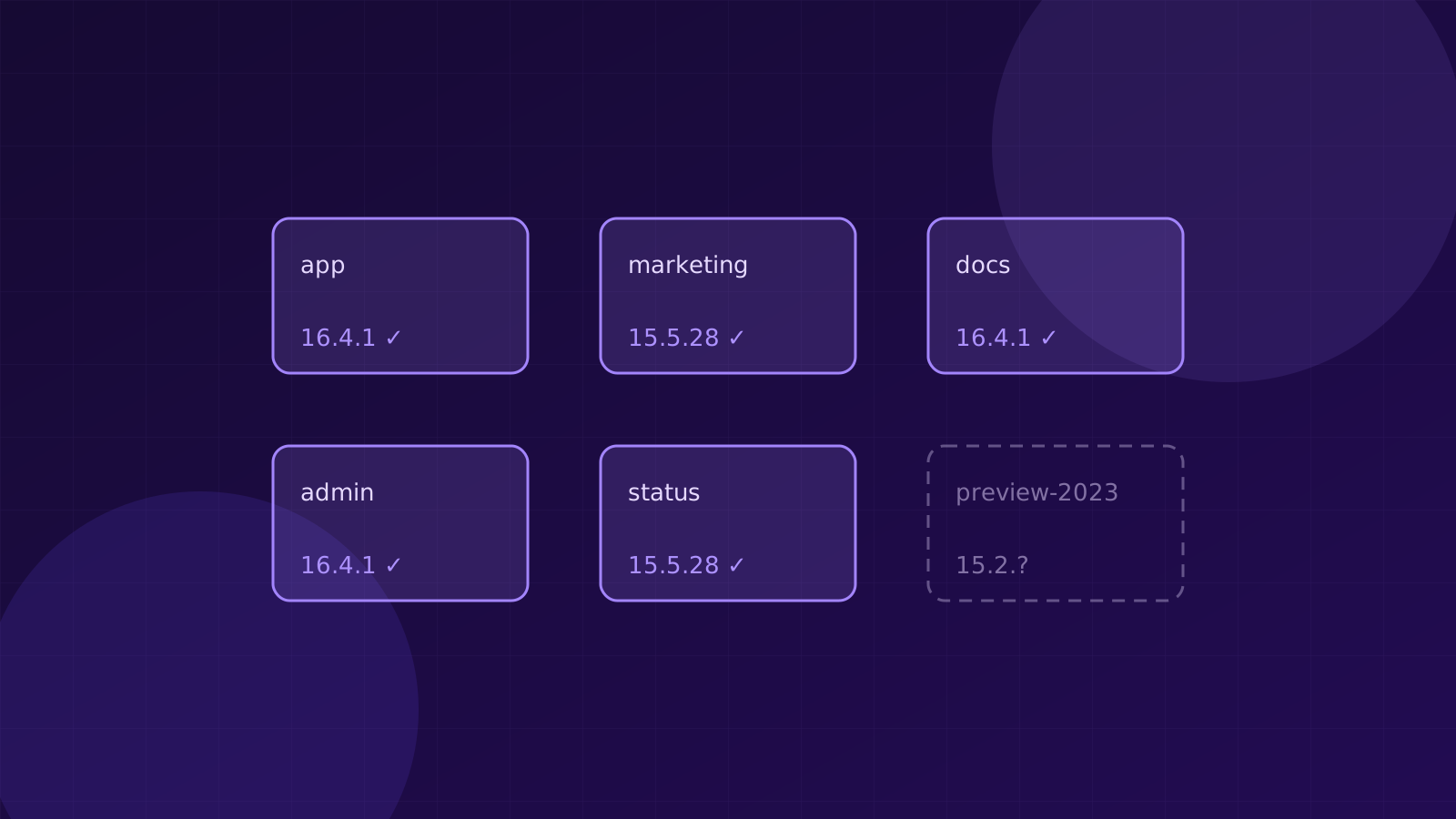
On 22 October 2026, Next.js published fixes for two critical, unauthenticated remote code execution bugs:
- GHSA-673q-mjm6-r5xr, in
use cache. It affects 16.0.0 to 16.4.0 and is fixed in 16.4.1. - GHSA-2464-fhr4-w9xw, in image optimisation with SVGs. It affects 10.0.0 to 15.5.27 and 16.0.0 to 16.4.0, and is fixed in 15.5.28 and 16.4.1.
No exploitation had been reported at the time of writing. Most teams will have patched their main app by now.
That isn’t the question worth asking, though. The question is whether the patch reached every app.
Startups collect Next.js apps
Next.js is the default way to build a React front end, so it turns up everywhere:
- the product itself
- the marketing site someone built in 2023
- the docs site
- the internal admin tool
- a status page, a landing page for one campaign, a hackathon demo
- preview deployments nobody switched off
Every one of those is a server running Next.js. Most of them don’t have an owner who watches advisories. The one that gets hit is usually the one nobody remembers owning.
A 15-minute check
1. Find every app, not just the ones you know about
Search your source control for package.json files that depend on next. On GitHub, a code search across the organisation for "next": in package.json files is a good start. Include archived repositories and forks, because a deployment can outlive the repo’s active life.
Every hit is an app, whether or not it’s still live. Write them all down.
2. Read the version from the lockfile
package.json tells you what’s allowed. A range like ^15.3.0 permits 15.5.27, which is vulnerable, and 15.5.28, which isn’t. It doesn’t tell you which one is installed.
The lockfile does. Look in package-lock.json, pnpm-lock.yaml or yarn.lock for the resolved next version.
3. Check what’s actually deployed
A fix merged to main isn’t the same as a fix running in production. Builds get cached, deploys fail quietly and preview environments keep running old commits.
Ask the running thing. That might be the image tag in your container registry, the build log in your hosting dashboard, or the version reported by the app itself if you expose one.
4. Compare against both advisories
- On 16.x, you need 16.4.1 or later. That fixes both bugs.
- On 15.x, you need 15.5.28 or later. The
use cachebug only affects 16.x. - On anything older than 15, the image optimisation bug still applies from 10.0.0 onwards. Upgrade, or turn off image optimisation until you can.
5. Start with what the internet can reach
An internal admin tool behind a VPN and a marketing site on the open internet don’t carry the same risk. If you can’t patch everything today, patch the ones with a public route first.
The list is the real finding
Anything you can’t account for in that list is the real finding. That might be an app you didn’t know existed, a deployment you can’t trace back to a repo, or a version you can’t read.
It’s the problem we keep coming back to while building Orion. Knowing a patch exists is easy. Knowing everywhere it needs to go is the hard part.